YouTube on Android Auto Finally Gets Background Playback, But Here’s Why You Still Need an Ottocast or CarlinKit AI Box for Netflix & Disney+
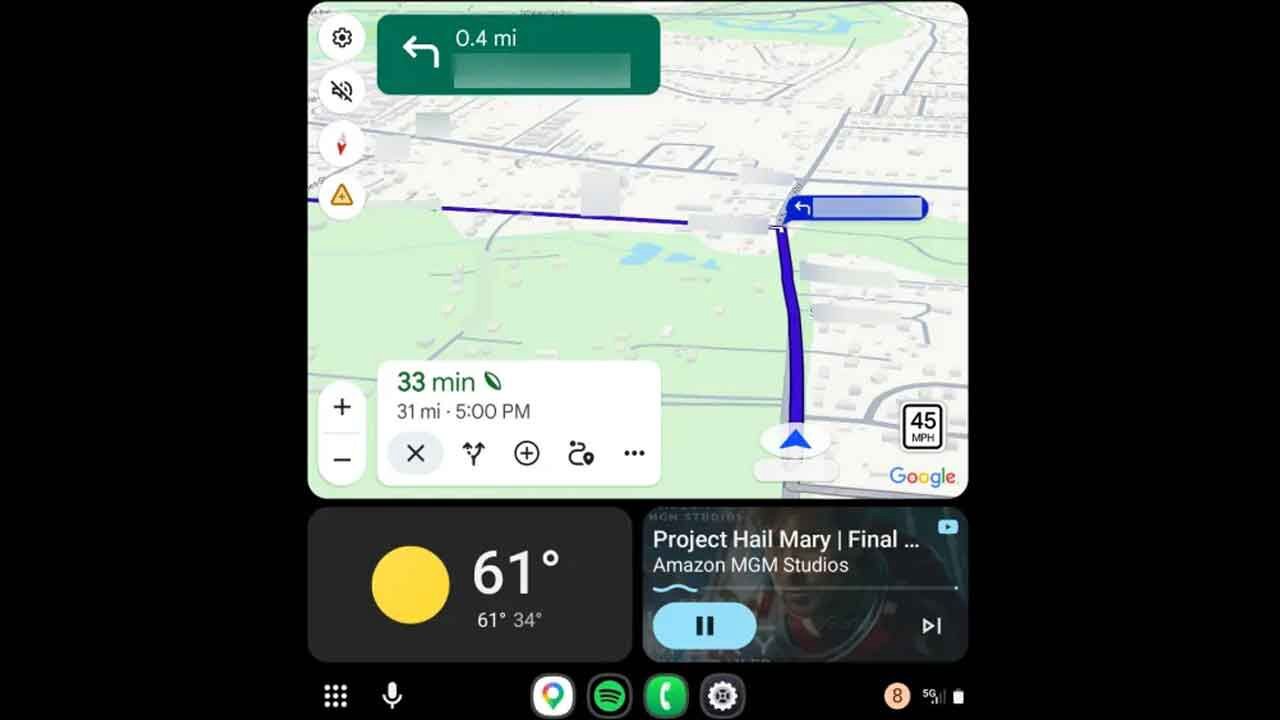
If you've ever been driving around the M25, trying to keep the kids quiet in the back, you'll know the struggle. For years, Android Auto felt like a walled garden—great for maps and music, but an absolute buzzkill when it came to video. You'd pull over, reach for your phone, and suddenly the whole road trip vibe would grind to a halt. Well, the word on the street for the past few days is that Google has finally listened. The latest update, rolling out now, brings basic background playback controls to YouTube on Android Auto. But before you get too excited about binge-watching your favourite playlist while stuck in traffic, let's talk about what this update actually does—and, more importantly, what it doesn't.
The Update: A Small Step for Google, a Big Question for Road Trips
The update rolled out quietly. YouTube has enabled a limited form of background playback. Simply put, if you're using the YouTube Music app or a podcast, the audio can now continue playing while you switch to Waze or Google Maps. It's seamless, it's clean, and it fixes one of the most annoying quirks of the system. But—and it's a big "but"—it is strictly audio-only. You still can't pull up a full-screen video of the latest Travis Kelce interview or a Netflix trailer while you're parked. The screen stays black. The car's safety logic still prevents any video playback while the vehicle is in drive. For music lovers, this is a win. For anyone who bought a car with a massive 10-inch display hoping to use it for actual entertainment during lunch breaks or long family trips, this update is just a gentle reminder that the factory software will never give you the full deal.
Why the "AI Box" Market is Exploding Right Now
This is where the real story begins. Over the past year, a whole new category of gadgets has exploded onto the scene. You might see them listed as the Ottocast Multimedia Video Adapter Play2Video Pro, the CarlinKit AI Box, or the Mstick4 AI Box. At first glance, they just look like wireless adapters for CarPlay or Android Auto. But that's like saying a Ferrari is just a car with four wheels. These devices are essentially fully-fledged Android computers that hijack your car's display.
I've been testing the Ottocast Play2Video Pro for the last month, and it completely changes the game. Unlike the basic YouTube update, these AI boxes run on their own hardware—think QCM6125 chipsets with serious specs like Android 13, 8GB of RAM, and 128GB of storage. You plug it into your car's USB port, and suddenly your dashboard transforms into a full Android tablet. You're not limited to the boring, safety-locked Android Auto interface. You get the full Google Play Store. That means native apps for YouTube, Netflix, Disney+, Prime Video, and even IPTV services.
CarlinKit vs. Ottocast: Which One Fits Your Drive?
If you're looking to buy one right now, the market is basically split between two heavyweights: the CarlinKit lineup and the Ottocast series. Both do the same core job—they trick your car into thinking an iPhone or Android phone is plugged in, but instead, they launch their own operating system. However, the devil is in the details.
The CarlinKit AI Box (especially the newer "Plus" models with 4G and WiFi) is fantastic if you want a "set it and forget it" experience. It integrates well if you just want to switch between the native car interface and the Android box. But if you're looking for the absolute best configuration right now, the QCM6125 android 13 8g+128g carlinkit carplay ai box plus is the one to beat. It's snappy, the 8GB RAM means no lag when switching between YouTube and Google Maps, and the 128GB storage lets you download movies offline for those long stretches on the motorway where 5G signals drop out.
On the other side, the Ottocast Play2Video Pro leans heavily into the "Multimedia Video Adapter" space. It's built specifically for streaming. If your primary goal is to have YouTube running in a small window while you navigate, or to let the kids watch Disney+ on the centre console while you drive (with audio through the car speakers), the Ottocast interface is smoother for video multitasking. It also has a dedicated app switcher that makes jumping between Netflix and Waze feel like using a high-end tablet.
The "Best Configuration" Debate
There's a reason why search terms like "best configuration youtube box" are trending. Not all these devices are created equal. The cheaper dongles might run on Android 10 or 11 with only 4GB of RAM. If you buy one of those, you'll be cursing the thing in six months when the apps update and the interface starts stuttering. If you're serious about upgrading your car's infotainment system, you need to look for the specific specs:
- Processor: QCM6125 or higher. This is the industry standard for automotive-grade performance right now. Anything less will choke on 4K video streams.
- RAM & Storage: Don't even look at a box with less than 6GB of RAM. 8GB+128GB is the sweet spot for smooth multitasking and offline storage.
- Connectivity: Built-in 4G LTE (with a SIM slot) is a lifesaver. If you rely solely on WiFi tethering from your phone, your battery will drain faster than a sports car in a drag race.
The Bottom Line for Drivers
Let's be real. The new YouTube Android Auto background playback is nice for podcasters and music heads. But if you bought a car with a gorgeous large screen, you're missing out on 90% of its potential by sticking to the stock system. The AI boxes from CarlinKit and Ottocast aren't just "gadgets"—they're essentially turning your dashboard into a mobile entertainment hub.
Whether you're waiting to pick up the kids from school or taking a road trip down to Cornwall, having YouTube, Netflix, and Disney+ natively on your car's display makes all the difference. Just remember to use that feature when parked—or let your co-pilot handle the streaming duties while you focus on the road. The tech is here to make the journey better, not more distracting. Choose the box with the Android 13, 8GB+128GB configuration, and you'll be future-proofed for the next few years of updates.